背景 最初,用 Hexo + GitHub 搭建了自己的博客,图片也托管在 GitHub 图床上。
导出文档 一开始,我打算用语雀的官方 API 对接 Hexo,这样文章就能自动同步更新。
访问公开知识库 https://www.yuque.com/076w/syst1m 遍历文章、目录等信息,通过/api/docs/{slug}?book_id={book_id}&mode=markdown取到文档的 Markdown 源码导出即可。
这里本来套的蹭一些公开的 cdn 做一个图片中转来着 但是!!
百度 cdn 不给我蹭了 直接抄作业了 下面的导出可以正常使用,已去除图片转换 Hexo 使用语雀图床防盗链最终解决方案 ——hexo-yuque-picture
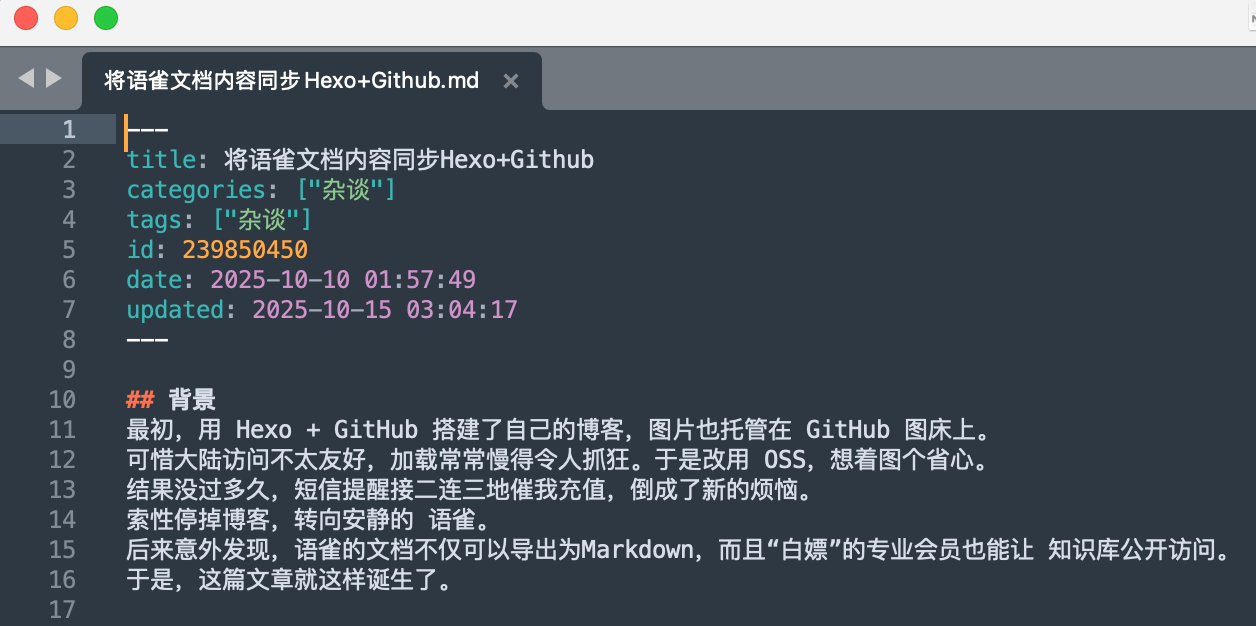
转换文档 为了让导出的 Markdown 能直接发布,在导出时就顺便按照 Hexo 的格式做了调整,参考了 Hexo Front-matter 文档 :
title:文章标题categories:父目录链路,例如 笔记/靶场日记/HackTheboxtags:取最后一级目录名作为一个 tag,例如 HackTheboxid:文档 IDdate:创建时间updated:更新时间
本来打算把文章封面图片设为文章中的第一张图,但效果太丑,最终没有采纳。
操作示例 假设你的语雀知识库链接是:https://www.yuque.com/076w/syst1m
1
2
3
4
5
6
7
8
9
10
11
12
13
14
15
16
17
18
19
20
21
22
23
24
25
26
27
28
29
30
31
32
33
34
35
36
37
38
39
40
41
42
43
44
45
46
47
48
49
50
51
52
53
54
55
56
57
58
59
60
61
62
63
64
65
66
67
68
69
70
71
72
73
74
75
76
77
78
79
80
81
82
83
84
85
86
87
88
89
90
91
92
93
94
95
96
97
98
99
100
101
import sysimport requestsimport jsonimport reimport osimport urllib.parsefrom datetime import datetimedef save_page (book_id, slug ): """下载文档内容(不替换图片链接)""" url = f'https://www.yuque.com/api/docs/{slug} ?book_id={book_id} &merge_dynamic_data=false&mode=markdown' r = requests.get(url) if r.status_code != 200 : print ("文档下载失败:" , slug, r.content) return None , None , None data = r.json().get('data' , {}) content = data.get('sourcecode' , '' ) created_at = data.get('created_at' ) published_at = data.get('published_at' ) updated_at = data.get('updated_at' ) or published_at or created_at return content, created_at, updated_at def build_categories (doc, list_dict ): """根据父子关系构建 categories 数组""" categories = [] parent = doc.get('parent_uuid' ) while parent: parent_doc = list_dict.get(parent) if not parent_doc: break categories.insert(0 , parent_doc.get('title' , '' )) parent = parent_doc.get('parent_uuid' ) or None return categories def safe_datetime_str (iso_ts ): """格式化 ISO 时间""" if not iso_ts: return '' try : if iso_ts.endswith('Z' ): iso_ts = iso_ts[:-1 ] dt = datetime.fromisoformat(iso_ts) return dt.strftime('%Y-%m-%d %H:%M:%S' ) except Exception: return iso_ts def get_book (url="https://www.yuque.com/076w/syst1m" ): r = requests.get(url) m = re.findall(r"decodeURIComponent\(\"(.+)\"\)\);" , r.text) if not m: print ("未在页面中找到 window.appData 数据,请检查 URL" ) return docsjson = json.loads(urllib.parse.unquote(m[0 ])) book_id = str (docsjson['book' ]['id' ]) book_dir = f"download/{book_id} " os.makedirs(book_dir, exist_ok=True ) list_dict = {doc['uuid' ]: doc for doc in docsjson['book' ]['toc' ]} for doc in docsjson['book' ]['toc' ]: if doc.get('type' ) == 'DOC' and doc.get('url' ): content, created_at, updated_at = save_page(book_id, doc['url' ]) if content is None : continue categories = build_categories(doc, list_dict) fm_lines = ["---" , f"title: {doc.get('title' , '' )} " ] if categories: fm_lines.append(f"categories: {json.dumps(categories, ensure_ascii=False )} " ) fm_lines.append(f"tags: {json.dumps([categories[-1 ]], ensure_ascii=False )} " ) fm_lines.append(f"id: {doc.get('doc_id' , '' )} " ) fm_lines.append(f"date: {safe_datetime_str(created_at)} " ) fm_lines.append(f"updated: {safe_datetime_str(updated_at)} " ) fm_lines.append("---" ) fm = "\n" .join(fm_lines) + "\n\n" safe_title = re.sub(r'[\\/*?:"<>|]' , '_' , doc.get('title' , 'Untitled' )).strip() md_file = os.path.join(book_dir, safe_title + '.md' ) with open (md_file, 'w' , encoding='utf-8' ) as f: f.write(fm + content) print (f"已保存: {md_file} " ) if __name__ == '__main__' : if len (sys.argv) > 1 : get_book(sys.argv[1 ]) else : get_book()
1、 保存脚本 yuque_export.py。
2、 安装依赖
pip install requests
3、 执行脚本
python yuque_export.py https://www.yuque.com/076w/syst1m
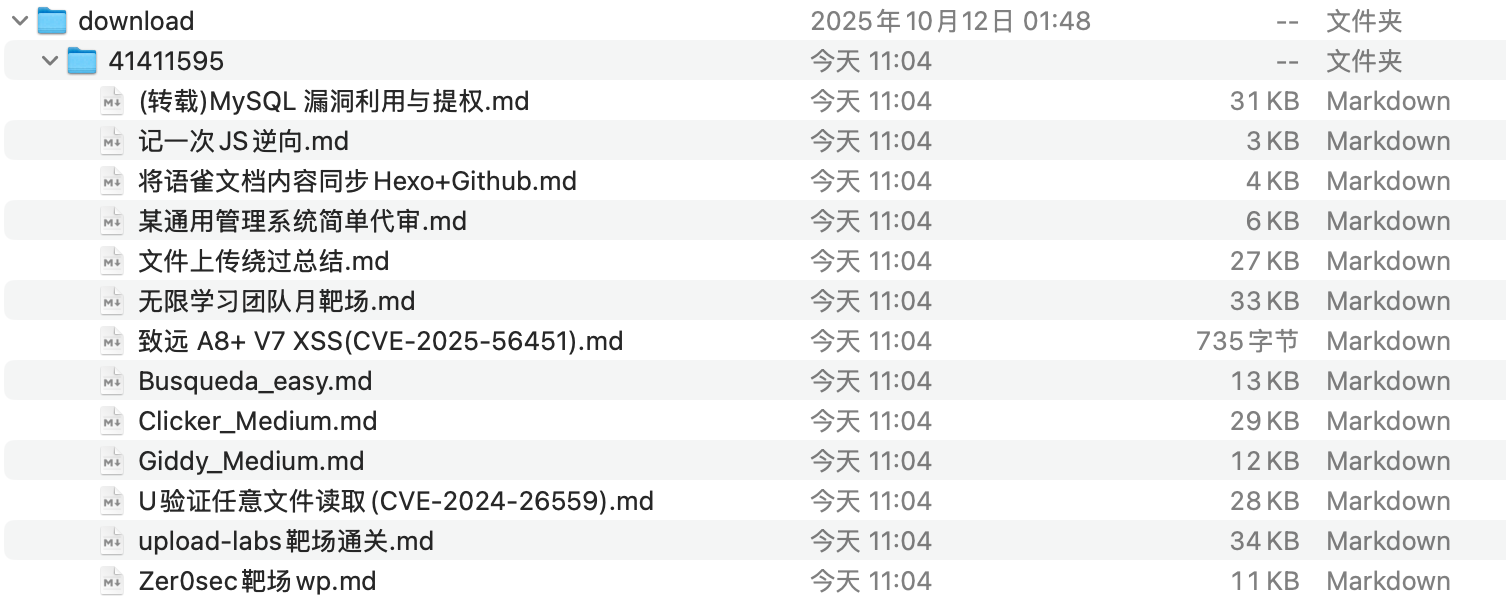
4、 生成 Markdown 文件 download/<book_id>/ 文件夹,每篇文档对应一个 .md 文件,Front-matter 已按 Hexo 格式生成,图片链接也已替换为可访问的中转链接。
5、 发布到 Hexo .md 文件放入 Hexo 的 source/_posts/ 文件夹,即可直接发布。